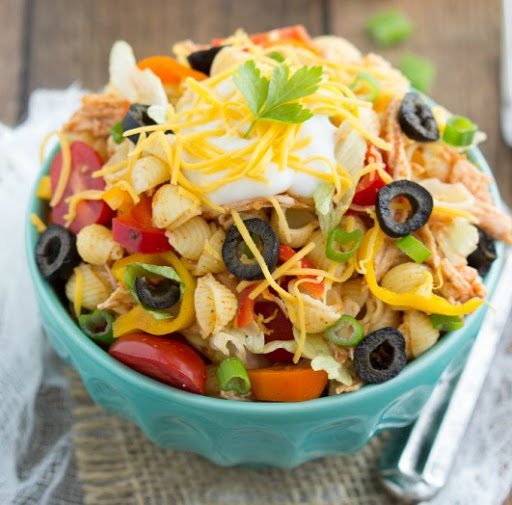
Chicken Taco Pasta Salad with Catalina Dressing
By KodiakDavis
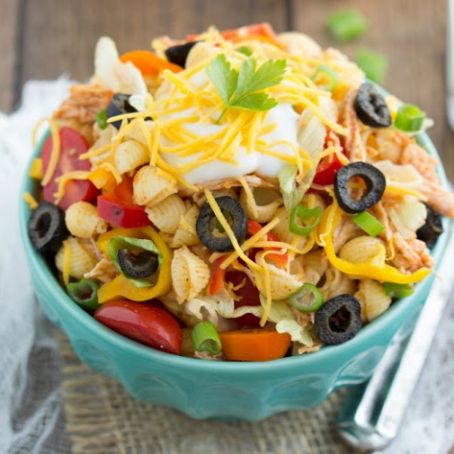 1 Picture
Ingredients
- Dressing:
- 2 cups pasta of choice, measured when uncooked
- 1 boneless skinless chicken breast (~1 and 1/2 cups)
- 2-3 tablespoons taco seasoning
- 1/3 cup taco sauce
- 3 cups shredded iceberg lettuce
- Optional: 1/2 cherry tomatoes, 1/2 cup sweet bell peppers, 1/2 cup black olives 2-3 tablespoons green onions, dollup of sour cream
- 2 tablespoons ketchup
- 2 tablespoons brown sugar, not packed
- 2 tablespoons red wine vinegar
- 1/4 teaspoon onion powder
- 1/4 teaspoon paprika
- 1/8 teaspoon Worcestershire sauce
- 1/4 cup olive oil
- Salt and pepper, to taste
Details
Servings 4
Adapted from chelseasmessyapron.com
Preparation
Step 1
Cook the pasta according to package directions.
Drain and rinse in cold water.
Meanwhile, boil the chicken breast in a large pot of chicken broth (or water) until completely cooked through and no pink remains.
Drain the chicken, allow it to cool and shred it with two forks.
Stir the shredded chicken with the taco seasoning and taco sauce.
Start with 2 tablespoons of taco seasoning and increase depending on taste preferences.
Stir together the cooled pasta, chicken taco mixture, and shredded lettuce.
Add in halved cherry tomatoes, chopped sweet peppers and sliced olives if desired.
In a jar with a lid, combine all of the dressing ingredients.
Shake until well combined.
Taste and adjust seasonings to desired preference.
Pour the dressing over the salad and toss to combine.
You may not want all of the dressing in the salad, so add it a bit at a time.
Season with salt and pepper and garnish with green onions and a dollup of sour cream if desired.
Review this recipe